Many developers want to go beyond the speed of QuickDraw. Writing directly to the
screen can allow you to create faster animation and graphics than possible with
QuickDraw. However, Apple has always maintained that writing to video memory is
unsupported, since it may cause your application to break on a future system. If you
write directly to the screen, your application will forfeit the use of many Toolbox
managers and will put future compatibility at risk. Since most applications require
the Window Manager and other basic Macintosh managers, writing to the screen is only
for a few specialized applications, such as video games and some animation packages
that compete on the quality and speed of graphics.
We're providing guidelines for writing to the screen in this column because we know
that some developers are already doing it. We also understand that, in today's market,
you need every advantage you can get in order to be competitive.
BEFORE YOU READ ON
The most important thing to remember isdon't write directly to the screen if you don't
have to . In general, only a few applications need to do this. If you're porting an
existing graphics or animation library from another system, or writing an application
that competes mainly on the speed of the graphics, writing directly to the screen may
be necessary. For any other applications, turn back now and forget about writing to the
screen.
Even if your application is animation intensive or a port from another system, we
recommend that you always attempt to use QuickDraw first. QuickDraw may be fast
enough for your purposes, and it would not be wise to sacrifice its compatibility and
flexibility for no reason. You should always have a QuickDraw version of your code
anyway, and it should be the default, in case your program isn't compatible with the
system or video card being used. Writing directly to the screen should be a user-
selectable option.
As an alternative to writing to the screen, your application may be able to increase
graphics performance by using custom drawing routines in a GWorld and CopyBits to
transfer your image to the screen. This allows you to have faster graphics while
avoiding the compatibility nightmare that you may face by writing directly to the
screen. To learn more about custom drawing routines, see "Drawing in GWorlds for
Speed and Versatility" indevelop Issue 10.
We hope we've scared almost everyone away. For those of you still reading, we want to
point out that violating one compatibility guideline doesn't mean your program should
break others: you still need to follow certain rules in order to peacefully coexist with
other applications. For example, don't assume the screen is a fixed size or depth. Use
data structures like GDevice and screenBits to access this information (Inside
Macintosh Volume VI, page 3-7). So remember, most applications have no need to
write directly to the screen, and if you choose to do it, it may give you more
compatibility headaches than you're ready for. If your program breaks in the future
because you decided to write to the screen, it will beyour responsibility to fix it. We
feel that the methods outlined in this column will give you the best chance of future
compatibility; however, there are no guarantees.
WHERE'D THAT MANAGER GO?
In addition to risking compatibility problems, writing directly to the screen means
you have to do a lot of extra work. Specifically, you have to handle (or live without)
many of the tasks that Toolbox managers would normally handle for you.
You lose the full benefit of QuickDraw's graphics routines, most importantly the
clipping ability. Because the Window Manager uses QuickDraw for its clipping, you
lose the ability to have multiple overlapping windows as part of your application's
interface. If your application requires multiple overlapping windows, you don't want
to be writing directly to the screen.
You lose the ability to stretch your windows across multiple monitors. QuickDraw
automagically has the ability to split the contents of a window across multiple
monitors. If you write directly to the screen, you'll be limited to one monitor, or
you'll have to write a lot of code that has already been implemented in QuickDraw.
You lose the Help Manager. The Help Manager displays its balloons in a window over
your application's window. If you're writing directly to the screen, you'll blast the
Help Manager's windows.
You lose QuickDraw's ability to map pictures and pixMaps from one color environment
to another. Replacing such code with your own is nontrivial. Just try writing an
image-copying routine that deals with simultaneous multiple pixel depths and you'll
gain a new respect for CopyBits!
You restrict your ability to print. The Printing Manager only understands QuickDraw.
To print you'll have to use your drawing code to render your images and then use
CopyBits to transfer them to the printing grafPort. This means sacrificing quality on
the printed page, since pixMaps generally don't look as nice on the printer as objects
composed of QuickDraw calls. Of course, if you have a QuickDraw version of your code
you can easily work around this.
Your program may have a different look and feel than a standard Macintosh application.
In the case of video games and other animation packages, this may be OK . But if you're
writing the next- generation word processor or spreadsheet application, you should be
using QuickDraw, the Window Manager, and the Palette Manager. You lose all or most
of these user interface managers if you write directly to the screen. Do your writing to
the screen within a window; this will lessen the user interface impact. If you want to
take over the entire screen, open a window that covers the entire screen.
Your program will also need to know when it's running in the background (seeInside
Macintosh Volume VI, page 5-19). When you're in the background, other applications'
windows may be covering your window. In this case, youmust use QuickDraw to
refresh your window when you get an update event. If you write directly to the screen,
you may clobber the foreground application's window.
FEELIN' THE NEED FOR SPEED
Writing directly to the screen for faster animation or graphics means a lot of work for
you, because it will be up to your programming skills to beat QuickDraw. QuickDraw
does everything possible to be as fast as it can while still being very generic. Efficient
use of QuickDraw may actually eliminate the need to write to the screen.
If you write specialized code that's tailored specifically for the kinds of images and
graphics that your application deals with, you might be able to make it faster than
QuickDraw. The routine presented at the end of this column, which simply draws a
color icon, is about 50% faster than CopyBits. It was timed on a Macintosh LC II at
1221 frames per second. CopyBits came in at a relatively sluggish 579frames per
second. The timing was done by taking the average number of frames per second for
100 seconds.
Our routine is faster because it doesn't make any of the extra checks that QuickDraw
must make to work with different bit depths and color environments. This routine is
also coded to copy an image of a specific size, while CopyBits is a generic bit copier.
Writing directly to the screen doesn't guarantee that you'll be faster than QuickDraw.
Even if your code is good, under some circumstances QuickDraw may outperform you.
If there's an accelerator in the system, you may not be able to beat QuickDraw at all.
Also, CopyBits is more efficient when copying large images, because the overhead is a
smaller part of the overall work.
Increasing drawing speed enhances certain special effects. Not only can you gain
smoother animation, but you also may be able to perform complex transformations,
such as rotating 3-D shapes, and photo-realistic shading, which QuickDraw can't do.
And you can do it with a high animation frame rate. For applications such as games,
increased drawing speed and improved special effects are essential.
The table below shows the trade-off between image size and drawing speed, comparing
writing directly to the screen, QuickDraw CopyBits, and CopyBits in QuickDraw
accelerated by an 8*24 GC card. We copied an 8-bit color image from an offscreen
GWorld to the screen, on a Macintosh IIfx with System 7.0.1.
| 512 x 384 | 256 x 192 | 128 x 96 | |
| Image | Image | Image | |
| Writing to | 20 | 77 | 306 |
| the Screen | |||
| CopyBits | 19 | 72 | 268 |
| 8*24 GC | 92 | 304 | 770 |
| CopyBits |
Numbers shown are frames per second.
GETTING READY
Before you venture into video memory, you should do a few things to prepare for
writing directly to the screen. Your program should determine the pixel depth and
open a window to draw into. Additionally, for maximum performance under System 7,
you may want to kill all applications in the background.
To beat QuickDraw, your code should be tailored for a specific pixel depth. Your
program should find the pixel depth of the screen it's writing to by accessing the
screen's GDevice.gdPMap.pixelSize field. If the depth is different from the depth that
your program expects, you should ask the user's permission to change the pixel depth,
and then change it using SetDepth (Inside Macintosh Volume VI, page 21-23).
You must open a window to cover the part of the screen you're drawing on. If you don't
use a window, update events for applications in the background may interfere with
your graphics.
If you require maximum performance, and you don't want any applications taking away
your cycles at WaitNextEvent time, you may want to consider using the System 7
Process Manager to kill all the background applications. If you do this, you should ask
the user's permission first. Your users will no longer be able to access any desk
accessories, which require the Finder to launch. There's an example of killing the
background applications, called KillEveryOneButMe, on theDeveloper CD Series disc in
the Snippets folder.
REACHING FIRST BASE
To access video memory, you need the base address of the video buffer for the screen to
which you're writing. Depending on the version of QuickDraw installed, you'll need to
use a different method of getting the base address. Use the Gestalt function with the
gestaltQuickdrawVersion selector to determine the QuickDraw version.
On multiple-monitor systems, you have to decide whether you want your windows to
be on any of the additional screens. If you decide to allow users to drag your window to
other monitors, you should get the base address from the monitor that the window is
on. See Graphical Truffles indevelop Issue 10 for a discussion of multiple monitors,
including code.
PIXEL ACCESS
Now that you have the base address of video memory, you need to know how to get to a
pixel. To access a pixel within video memory, you need to translate the screen
coordinate into a byte address.
To map the vertical coordinate, multiply it by the rowBytes and add this product to the
base address of the screen's video memory; this gives you the row address. To map the
horizontal coordinate, calculate the byte number and add it to the row address.
Voilà! You now have the pixel address.
Below is a formula to translate a pixel coordinate into a pixel address. We leave it up
to you to implement these formulas in the most efficient way for the graphics you're
working with.
rowAddr = screenBaseAddr + (rowBytes
                * pixel_vertical_coordinate);
if (pixel_depth < 8) {
    pixels_per_byte = 8/pixel_depth;
    byteNum = pixel_horizontal_coordinate
                / pixels_per_byte;
}
else {
    bytes_per_pixel = pixel_depth/8;
    byteNum = pixel_horizontal_coordinate
                * bytes_per_pixel;
}
pixelAddr = rowAddr + byteNum;
For the example at the end of this column, we use the formula for a pixel depth of 8
because it's the simplest. In this case, the above calculations can be reduced to
rowAddr = screenBaseAddr + (rowBytes * pixel_vertical_coordinate);
pixelAddr = rowAddr + pixel_horizontal_coordinate;
MOUSETRAP
You must call ShieldCursor (Inside Macintosh Volume I, page 474) before you actually
start writing to video memory. If you don't call ShieldCursor, your application will
not be compatible with some third-party monitors. Also, if you don't have the cursor
hidden and the mouse is moving over an area as you draw to it, the mouse will leave
behind "serially repeating artifacts" (garbage). When you're done writing to video
memory, call ShowCursor (Inside Macintosh Volume I, page 168) to reverse the
effects of ShieldCursor.
CONCLUSIONWriting directly to the screen is risky because the Macintosh hardware
or OS may change in the future; Apple makes no guarantee that these methods will
always work. In writing directly to the screen, you'll sacrifice the services of many
Toolbox managers. For mainstream applications, QuickDraw's speed and flexibility
will suffice. But for certain applications, such as games and animation, writing
directly to the screen may provide an extra competitive edge.
AN EXAMPLE
Below is a sample function, DirectPlotColorIcon, that draws an 8-bit color icon (an
'icl8' resource) to an 8-bit color screen device whose pixMap is passed.
void DirectPlotColorIcon(long *colorIconPtr,
    PixMapHandle screenPixMap, short row, short col)
{
    register long *screenMemPtr;   // Pointer to video memory
    register short numRowsToCopy;  // Rows we're going to copy
    register short stripRowBytes;  // To clear high bit of rowBytes
    register short rowLongsOffset; // rowBytes converted to long
    char    mmuMode;               // 32-bit mode required
    Rect    cursRect;              // Rectangle for ShieldCursor call
    Point cursOffset;              // 0,0 to indicate rect is in
                                   // global coordinates

    /* High bit of pixMap rowBytes must be cleared. */
    stripRowBytes = (0x7FFF & (**screenPixMap).rowBytes);

    /* Strip high byte of icon address to prevent bus error */
    /* in 24-bit mode. */
    colorIconPtr = (long *)StripAddress(colorIconPtr);
    /* Calculate the address of the first byte of the */
    /* destination. */
    screenMemPtr = (long *)(GetPixBaseAddr(screenPixMap) +
        (stripRowBytes * row) + col);

    /* Call ShieldCursor to maintain compatibility with all */
    /* displays. */
    cursRect.top = row;
    cursRect.left = col;
    cursRect.bottom = row + 32;
    cursRect.right = col + 32;
    cursOffset.h = 0;
    cursOffset.v = 0;
    ShieldCursor(&cursRect, cursOffset);

    /* Change to 32-bit addressing mode to access video memory. */
    /* The previous addressing mode is returned in mmuMode for */
    /* restoring later. */
    mmuMode = true32b;
    SwapMMUMode(&mmuMode);

    /* Color icons have 32 rows. */
    numRowsToCopy = 32;

    /* Calculate the long word offset from the end of one row of */
    /* the color icon on the screen's pixMap to the first byte of */
    /* the icon in the next row. */
    rowLongsOffset = (stripRowBytes/4) - 8;

    /* Draw the color icon directly to the screen. */
    do {
            *screenMemPtr++ = *colorIconPtr++;
            *screenMemPtr++ = *colorIconPtr++;
            *screenMemPtr++ = *colorIconPtr++;
            *screenMemPtr++ = *colorIconPtr++;
            *screenMemPtr++ = *colorIconPtr++;
            *screenMemPtr++ = *colorIconPtr++;
            *screenMemPtr++ = *colorIconPtr++;
            *screenMemPtr++ = *colorIconPtr++;

        /* Bump to start of next row. */
            screenMemPtr += rowLongsOffset;
    } while(--numRowsToCopy);

    /* Restore addressing mode back to what it was. */
    SwapMMUMode(&mmuMode);

    ShowCursor();
}
REFERENCES
BRIGHAM
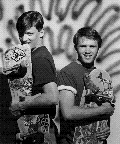
STEVENS (AppleLink: BRIGHAM) escaped from mainframe hell to work for
Apple in June 1991 on the HyperCard® IIGS project. (He's the one on the
right in the photo.) After a short and amazingly entertaining stint writing
XCMDs, he joined Developer Support as a contractor in November 1991, and
has never been home since. You can tell when you're getting near Brigham's
office, because you'll be ducking Nerf arrows, and the sounds of "Dude!" will
be raging across your lobes. At night you can find him there basking in the
cathode rays of his 16" color monitor. By day you can find him romancing the
sidewalk with his skateboard. On weekends he may be dancing in San
Francisco, enmeshed in the rhythm of something relentless and metallic. He
says one of his weirdest dreams was missing a turn while driving, and then
setting up a 68000 jump table to return. His next goal is to be in a PowerBook
commercial, on his skateboard saying "Dude, it's the next thing!" while doing
an axle grind over a DOS PC--all this with a PowerBook in his right hand
running his favorite application, MacsBug.
BILL GUSCHWAN, reflecting his lack of belief in a self, quotes Wittgenstein:
"Whereof one cannot speak thereof one must be silent." Bill enjoys the wrath of
Peleus's son, Smashing Pumpkins, Skinny Puppy, and Smashing Candy, which are his
favorite book theme, rock groups, and poem, respectively. On a Shakespearean note, he
quotes the tenet, "For O, for O, the hobbyhorse is forgot!" or, deconstructed, "Language
deceives; never trust it." We think Bill's brain needs a little deconstruction; we could
donate it to science because we now know how unselfish he really is. *To learn how
to influence the speed of CopyBits, see the Macintosh Technical Note "Of Time
and Space and _CopyBits" (formerly #277).*
The code used to measure the trade-off between image size and drawing speed can
be found on the Developer CD Series disc.*
For information about killing the Finder, see the Q & A on page 115. *
For more about 32-bit addressing, see develop Issue 6, page 36.*What about
that 0x7FFF rowBytes? The largest rowBytes of a pixMap passed into CopyBits is
0x3FFE, otherwise the largest rowBytes is 0x7FFE.*
Thanks to C. K. Haun, Dennis Hescox, Guillermo Ortiz, and Forrest Tanaka for
reviewing this column. *