They say some things never change. Although it's been four years
since Pete "Luke" Alexander wrote about the top 10 printing crimes
in develop, people are still committing some of the same crimes.
There are also a few new crimes to add to the list. So, here they
are, the updated top 10 printing crimes (ordered on a combined
frequency and hideousness scale):
Now let's look at how to avoid these crimes. The solutions are relatively easy.
10.Having insufficient free memory at print time.
Some printer drivers use a lot of memory. When a driver runs out of memory, the
results are usually pretty bad, so you should give printer drivers as much memory as
possible. Unfortunately, memory requirements vary from driver to driver, so it's
hard to predict how much memory a driver will need.
Solution: Unload all unneeded code and resources before printing.
9.Coloring outside the lines.
Many applications draw outside the printable area of the page when printing. This can
happen if the user has extended objects beyond the printable area. Drawing unneeded
objects causes extra work for the driver and the printer, which affects performance.
In some cases, the driver also needs to allocate extra memory to hold the objects or the
enclosing rectangle.
Solution: Draw only the portions of objects that will appear on the page. This can be
determined by looking at the rPage field in the printer information record (which is
in the prInfo field of the print record).
8.Misusing the PostScriptHandle picture comment.
The PostScriptHandle picture comment is designed to add PostScript (TM) code to a
page containing QuickDraw graphics. It's not designed to send multiple pages of
pre-generated PostScript code to a printer (for that, you need to use the
Pap.WorkStation.o library).
Solution: Use the PostScriptHandle picture comment only to draw a self-contained
image, which will be added to any QuickDraw graphics already on the page. If the
PostScript code needs to change the graphics state, it should save and restore the state.
Think of the picture comment as a way to include an EPS image, with all the
restrictions placed on EPS by Adobe (TM) (as specified in Appendix H of the
PostScript Language Reference Manual, second edition). The PostScript code should be
compatible with both Level 1 and Level 2 PostScript, and you should include a
QuickDraw version of the graphic so that your users can print to a non-PostScript
printer.
For more information on how to use the PostScriptHandle picture comment,
see Technote 1032, "Mixing QuickDraw & PostScript Printing from Your App:
Some Gotchas," and Appendix B of Inside Macintosh: Imaging With QuickDraw.*
7.Calling PrintDefault or PrValidate before PrOpen.
The documentation for the Printing Manager (Chapter 9 of Inside Macintosh: Imaging
With QuickDraw) mentions that you need to call PrOpen before calling any other
Printing Manager functions. Unfortunately, the descriptions for PrintDefault and
PrValidate don't repeat this warning.
Solution: Always call PrOpen before calling any other Printing Manager calls.
6.Avoiding the print dialogs, especially PrJobDialog.
Some applications try to avoid print dialogs because either user interaction isn't
possible or the developer thinks the user will make a mistake. Because all of the many
options for the current drivers, most notably LaserWriter 8, cannot be stored in the
print record, you need to call PrJobDialog so that the driver can read in the options
from where they're stored (usually in the preferences file). If you don't call
PrJobDialog, the driver can't set up the print record correctly, and you might not get
the output you expected. The solution should be to call PrJobMerge, but in many
drivers PrJobMerge does a less than perfect job.
Solution: Call PrJobDialog before printing to set up your print record correctly, or
use QuickDraw GX, which supports dialog-free printing.
5.Accessing undocumented fields in the print record.
Many of the fields in the print record are undocumented or documented as private.
Printer drivers can use these fields however they choose. What works for one driver
might cause another to crash or to print zillions of pages you don't want.
Solution: Use only the fields in the print record that are documented as public in
Chapter 9 of Inside Macintosh: Imaging With QuickDraw.
4.Not checking error return values.
After any call to a Printing Manager function, you should check PrError. If you're
calling PrGeneral, you should also check the iError field in the TGnlData structure. Be
aware that newer drivers return errors that older drivers didn't. For example,
PrStlDialog in LaserWriter 8 can return an error if the preferences file is missing or
corrupted; many applications don't check for this error, and later crash when they've
pushed the driver completely off the cliff.
Solution: Always check and handle printing errors. See the Macintosh Technical Note "A
Printing Loop That Cares..." (PR 10) and the article "Meet PrGeneral" in develop
Issue 3.
3.Making low-level Printing Manager calls.
The low-level Printing Manager routines, such as PrDrvrOpen, are obsolete and
unsupported.
Solution: Never call the low-level routines.
2.Not using QuickDraw GX print dialogs if QuickDraw GX is present.
When you call the classic Printing Manager functions and QuickDraw GX is active, the
user gets the old-style "compatibility dialogs," which lack many of the features that
are provided in the QuickDraw GX print dialogs. There are two problems with this: the
user doesn't have access to all of the QuickDraw GX features; and when some
applications call the QuickDraw GX print dialog functions and others don't, two very
different printing experiences are presented to the user.
Solution: Call the QuickDraw GX print dialog functions in your print loop if QuickDraw
GX is present. For help, see the article "Adding QuickDraw GX Printing to QuickDraw
Applications" in develop Issue 19. The complete documentation can be found in Inside
Macintosh: QuickDraw GX Printing.
1.Adding printing to your application last.
Four years later, this is still the number-one printing crime. A lot of developers
leave printing until near the end of the product development cycle. When problems are
encountered, Developer Technical Support gets messages like: "My application can't
print, and I've got to ship today. Please answer as soon as possible."
Solution: Hook up your print loop as early as possible. As you add each new feature to
your application, print a page or two. Make sure that things are still working as
expected. When you take this approach, any features that cause printing problems get
noticed early, and you'll have time to fix them.
If you're committing any of the crimes on this list, your customers are probably
seeing things they don't like when they print. This list is also far from comprehensive,
as people continue to find new and unique ways to abuse the Macintosh print
architecture.
Looking ahead, printing will be changing in a big way. Mac OS 8 will use QuickDraw GX
as the printing model. As changes occur, there will be Technotes,develop articles, and
other sources of information. So keep your eyes open, and remember, don't commit too
many printing crimes. Crime doesn't pay.
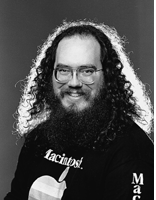
DAVE POLASCHEK supports printing and font-related issues in Apple's Developer
Technical Support group. Dave was last seen wandering the halls muttering, "This will
all be better in Mac OS 8" and laughing maniacally.*
Thanks to Pete "Luke" Alexander, Paul Danbold, Dave Hersey, and Jim Zandee for
reviewing this column.