In this column in Issue 26 of develop, I showed you a wide range of scriptable editing
commands available from the MPW Shell. This time I'll discuss a single tool that
provides a powerful self-contained text-editing scripting language, StreamEdit.
Why would you want to use StreamEdit instead of the other text-editing features of the
MPW Shell?
StreamEdit is based very closely on the hoary UNIX tool named sed. If you already know
sed, much of this will be familiar, but StreamEdit isn't directly compatible with sed
scripts.
An MPW version of sed is available as part of the GNU free software project.
One place you can find it is http://sunsite.cnam.fr/packages/gnu/cygnus/mac/
StreamEdit implements a pattern-matching language. Every time a particular pattern
is matched, a sequence of commands will be executed. As in most pattern-matching
languages, StreamEdit's scripts are lists of pattern/command pairs, with the pattern
coming before the command. The input file or files are read through the script
interpreter, which searches for instances of the patterns and executes the
corresponding commands. Anything that doesn't match a pattern is passed through
unchanged.
StreamEdit scans one line at a time through the input, matching its current line to
every pattern in its script. After processing each line, it writes out the modified line.
The result is a concatenation of three internal buffers: the insert buffer, then the edit
buffer, and finally the append buffer. The edit buffer gets filled with the current line,
while the other buffers are empty at the start. The Insert and Append commands place
text in the insert and append buffers, allowing you to add text to the beginning and end
of the output line. The Change, Delete, and Replace commands modify the contents of the
edit buffer.
As usual, MPW uses words in ways previously unknown in human speech. In
StreamEdit, patterns are referred to as "addresses." There are two kinds of addresses:
line numbers and regular expressions. Line numbers ought to be self-explanatory, but
it may help to note that the numbers must be Arabic numerals rather than Roman, and
must be in base 10 rather than the hexadecimal or sexagesimal number systems.
There are three special line numbers:
The keyboard shortcuts, as always in this column, are for American QWERTY
keyboards; if you've got some other type of keyboard, you're on your own.
Regular expressions are expressions that manage their diets sensibly. They can be
used for searching, and were explained in detail in Issue 26. In StreamEdit addresses,
though, regular expressions find the entire line containing the pattern, rather than
just the pattern. Regular expressions are denoted by slashes. Only forward slashes are
used (StreamEdit doesn't have a backward search mode, having been frightened at an
early age by the legends of Eurydice and Lot's wife). Three new constructs have been
added to regular expressions in StreamEdit:
StreamEdit has variables that can be set with the Set command (more on this later) or
from the command line using the -set variable [=value] option.
You can form more complex addresses using a few operators. The Boolean and, or, and
not operators are the same as in C (&&, ||, and !, respectively). Parentheses can be
used for grouping within addresses. The comma operator matches the range of lines
specified; for example, 3,5 matches lines 3 through 5. A range address matches each of
the lines in the range, if any. It can be thought of as matching more than once: it fires
off the accompanying command on the first line matched, the last one matched, and all
lines in between. If the termination condition is never met, the address continues to
match until the end of input. This could happen if you specify a range of lines ending at
line 15, for instance, and there are only ten lines in the file, or if your range
termination condition is a regular expression that doesn't appear anywhere in the
input.
Matching patterns is very nice, but what do you do once you match them? Statements
in StreamEdit attach actions to patterns. An action consists of one or more commands,
separated by semicolons or by the end of a line. There's no begin or end bracketing as
in Pascal or C. Addresses and commands are syntactically distinct, so the script
interpreter can figure out where the list of commands for a pattern ends and the next
pattern begins.
/~/ Delete
The text arguments to these commands are usually literal text, denoted by single or
double quotes. There are a few other forms as well:
Let's say you're the director of corporate communications at a major computer maker
and, without any warning except for inventory backlogs larger than the gross national
products of many developing countries, you experience a sudden transition in chief
executive officers, corporate policy, and product line. Your quarterly report (10-Q)
is due in the SEC's EDGAR database tomorrow. Fortunately the SEC requires the
cutting-edge ASCII format for its filings, and you realize that you can automate 90% of
the tedious changes with a single StreamEdit script.
# Change nickname of CEO
/Diesel/
Replace // 'Flyboy'
# Change corporate policy
/1,$/
Replace /capture market share/ 'survive'

# Remove lines referring to obsolete products
/PowerTalk/ || /eWorld/
Delete

# Change developer relations strategy
/third-party developers/
Replace /evangelize/ 'listen to'

# Mark lines referring to old schedules
# with a distinctive string at the start
# of the line for manual editing later
/1996/
Insert 'WHOOPS: '

# Add new final line of report
[[infinity]]
Append 'May God have mercy on our souls.'
StreamEdit is almost too powerful. People have used it for everything, including
pretty-printing source code, converting files to HTML, and postprocessing object files
for dynamic linking tools. If you use it for finding incriminating passages in
coworkers' e-mail, karma may get you, but the limitations of the tool won't. Use your
powers for good rather than evil, and a grateful world will thank you.
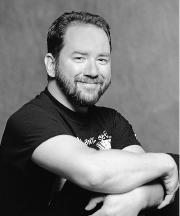
TIM MARONEY has appeared professionally in newspapers, magazines, compact
discs, videotape, and of course, computer software. Tim is a technical lead in human
interface software at Apple and is editing a series of books for a horror publisher. His
skin burns easily in the sun and tans in the moon. He uses white T-shirts only for
house painting and car repair.
Thanks to Arno Gourdol, Alex McKale, and Robert Ulrich for reviewing this column.